MindStudio
Rapidly build AI agents for yourself, your team, or your enterprise with MindStudio's flexible and secure no-code platform. Design, build & deploy AI agents.
LOADING
Heyy automates customer conversations across chat channels with AI Employees, smart workflows, integrations & live support for sales, marketing & service.
Justification: Heyy automates customer conversations and engagement across multiple channels, using AI Employees, routing, escalation logic, campaigns, integrations, and live chat. Its focus is operational automation for sales, marketing, and support rather than simply generating content or providing general-purpose AI assistance.
Fast, convenient digital experiences shape customer expectations. People ask questions through websites, social media, and messaging apps, and they often expect a useful response without waiting for a human agent to become available. For growing businesses, keeping up across these channels can be difficult: messages arrive at different times, teams need context, and repetitive questions consume time that could be spent on more complex customer needs.
Heyy is an AI customer conversation platform designed to help businesses handle those interactions through AI Employees, automation, and a shared approach to multiple messaging channels. It brings together functions for customer support, sales, and marketing, making it easier to respond, route conversations, and automate recurring tasks. Its feature set includes a Smart Flow Engine, escalation logic, integrations, automated campaigns, a Mini-CRM, and live chat.
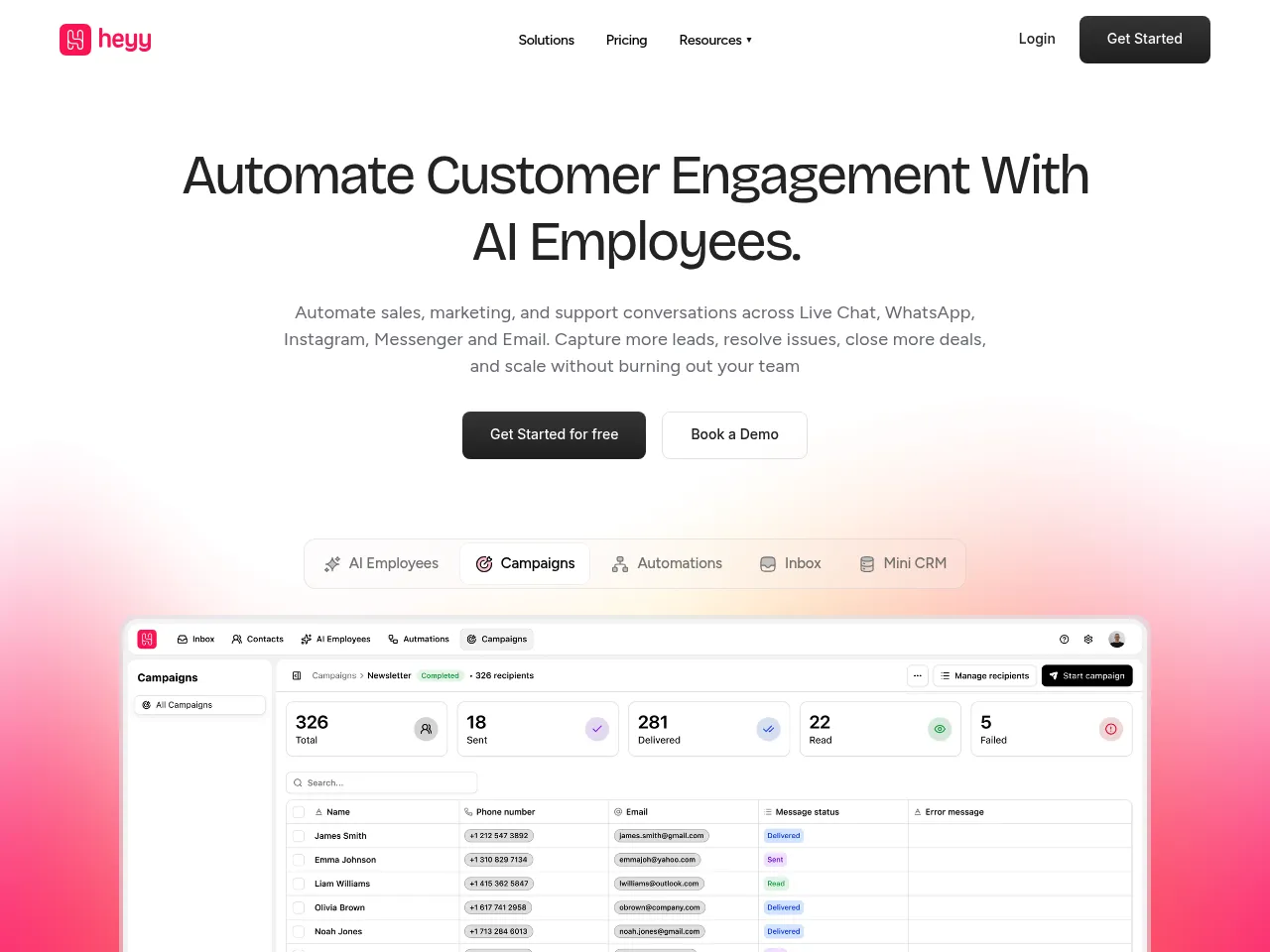
This review explains what Heyy does, how to get started, what its pricing page currently lists, and where it may fit among competing tools. The pricing details on the official page show monthly tiers of $49, $149, and $499, with annual billing at $41, $125, and $416 per month. The page also lists different AI Employee knowledge-storage allowances for the plans. Some plan details were not available in the retrieved pricing information, so confirm the current inclusions directly on Heyy’s pricing page before choosing a tier.
Heyy is a platform for automating customer-facing conversations. Businesses can set up AI Employees to answer questions and assist with tasks across customer service, sales, and marketing. Rather than treating every interaction as a standalone chatbot exchange, Heyy’s feature set is intended to connect incoming messages with workflows, integrations, and human support when needed.
The product is positioned around an omni-channel experience: customers can contact a business through supported messaging channels, while teams manage and automate conversations through Heyy. The company describes its platform as serving more than 250 brands across 12 industries, a scale indicator reported on its product material.
For organisations evaluating Heyy, the important question is not simply whether it can answer common questions. It is about whether its workflows, integrations, escalation options, and team tools match how the business already handles customer interactions. Those operational details determine whether automation reduces manual work or introduces another system to maintain.
The Heyy Smart Flow Engine is designed to guide conversations through defined processes. Instead of responding to every message the same way, a business can use flows to identify a customer’s intent and guide the conversation toward the appropriate answer or next step. For example, a product question may lead to information about an item, while a request to change an order may require a different workflow.
The value of a flow engine depends on how clearly the business can map its customer journeys. A focused set of flows can make common interactions consistent and efficient. A large collection of overlapping or poorly maintained flows can be harder to manage, so workflows should be tested and reviewed as products, policies, and services change.
The Heyy Omni-Channel Experience is intended to bring customer conversations from supported channels into a more coordinated environment. This matters for companies whose customers move between a website chat and social messaging, or who have different teams responding on different channels.
When a platform centralises conversations, agents can spend less time switching between separate inboxes. The precise channels and account-level limits should be checked against the current plan and setup, particularly if a business relies on specific social platforms or messaging services.
Heyy AI Employees are configured AI agents for customer-facing work. A business can use them to handle recurring questions, guide users through basic processes, and support sales or marketing conversations. Heyy’s materials describe training these AI Employees using company information, such as product details, pricing, policies, and FAQs.
The quality of an AI Employee depends on the quality and freshness of the source information and on the boundaries set for its work. Clear instructions, approved answers, and a defined path to human help are important. AI should not be left to improvise on sensitive or high-impact matters without appropriate safeguards.
Heyy Escalation Logic supports handing a conversation from automation to a person when the issue needs human attention. This is an essential component of responsible customer service automation: a bot should be able to recognise when it cannot confidently help, when a customer asks for a human, or when an issue falls outside its assigned role.
Businesses should design escalation rules around their real service commitments. For instance, they may route billing disputes to a specialist, send urgent issues to an available team, or hand off conversations when the AI lacks relevant information. Teams should also ensure that the customer’s conversation context is available after the transfer, so customers do not have to repeat themselves.
Heyy Automations can help businesses reduce repetitive manual work, such as directing conversations, responding to common questions, or initiating a follow-up. Automation is most useful when the task is predictable, and the desired outcome is clear. It can help maintain a consistent experience while freeing staff to focus on unusual cases and relationship-building.
Automation should be treated as an operational process rather than a one-time setup. Businesses need to check whether messages are being routed correctly, whether customers are reaching the right team, and whether automated responses remain accurate after policies or products change.
Heyy Webhooks & API are relevant for teams that want to connect conversation workflows with other software or internal systems. An API or webhook-based connection can support event-driven workflows, such as passing information to another application when a conversation reaches a particular stage.
The exact implementation depends on the company’s technical setup and the documentation available to its team. Before planning a custom integration, confirm supported events, authentication requirements, rate limits, and any access restrictions. These details were not specified in the retrieved product information.
Heyy E-Commerce integration can be useful for online stores that want customer conversations to relate to shopping activity. Depending on the available connector and configuration, this kind of integration may support more relevant responses to product or order questions. Verify the specific commerce platforms and data access available before relying on it for order-related workflows.
Heyy CRM integration can help connect customer conversations with relationship and sales records. Keeping customer details and interaction history aligned can give support and sales teams better context. Companies should check how records are matched, what information syncs, and whether the integration supports their existing CRM and operating processes.
Heyy Calendars points to scheduling-related workflows, which may help customers arrange a meeting or appointment through a conversation. Businesses should confirm which calendar systems are supported and how availability, time zones, and booking confirmations are handled.
Heyy Teams is relevant to organisations that need to coordinate work across people or departments. Team structure and assignment rules can help conversations reach the right staff rather than remaining in a general queue.
Heyy Inbox integration can connect Heyy with existing inbox workflows, depending on supported integrations. This matters to companies that do not want customer communication to become fragmented across a new tool and their established support process. The exact systems supported should be checked directly with Heyy.
Heyy Automated Campaigns can support proactive customer engagement, such as planned outreach or follow-up messaging. Campaigns should be based on appropriate consent, relevant timing, and clear audience selection. Businesses should ensure that campaign activity complies with applicable messaging and privacy requirements.
The Heyy Mini-CRM offers a lightweight way to organise customer or lead information within the platform. It may be useful for smaller teams that want basic context alongside conversations. Organisations with mature sales operations should compare its capabilities with their current CRM before deciding whether it can replace, complement, or connect to that system.
Heyy Live Chat provides businesses with a website-based conversation channel for visitors who need help while browsing. It can support customer service, product discovery, or lead capture, depending on how the team configures it. Live chat is most effective when customers can get a timely response or a transparent explanation of what happens after they leave a message.
A practical Heyy setup begins with the customer problems the business wants to solve. Starting with a narrow, well-defined use case is usually more manageable than trying to automate every interaction immediately.
The final step is ongoing. An AI Employee should be checked as the business changes, and a workflow that worked well during a limited test may need adjustment when used across more customer types or channels.
Heyy’s official pricing page currently lists three monthly plans: $49, $149, and $499. It also shows annual billing prices of $41, $125, and $416 per month. The page lists AI Employee knowledge-storage allowances of 3 MB, 20 MB, and 50 MB across the plans; the search results also showed a 1,000-per-month figure alongside the $49 tier, though its label and the full plan breakdown were unclear in the available information.
Because the retrieved pricing details do not clearly show every tier’s included features, message limits, seats, or channel restrictions, treat these figures as a starting point rather than a complete comparison. Check the live pricing page for current terms, billing conditions, usage limits, and any additional charges before purchase. One Heyy comparison article also describes the Pro plan at $149 per month. It refers to unlimited AI conversations across four channels, but confirm that this description matches the current plan definition and your intended channels before relying on it.
When comparing tiers, estimate the number of conversations, the number of AI Employees needed, and the amount of reference material each one will use. Also account for integration requirements and how many conversations will need human handling. The lowest monthly price may be a good way to test the platform, but the appropriate plan should be based on the actual workload and the cost of any limits that affect it.
The best alternative depends on whether a business prioritises help-desk ticketing, sales engagement, customer messaging, or conversational automation.
These products differ in pricing structure, automation depth, integrations, reporting, and the amount of setup required. Compare them using the same real-world scenarios: a common customer question, a complex issue that needs escalation, a channel-specific conversation, and a handoff to the CRM or sales team. Heyy’s own material discusses alternatives and comparisons with products such as Intercom and Zendesk, but an independent evaluation should include current plan details from each provider.
Heyy is best understood as a customer conversation automation platform for businesses that want AI Employees, workflows, and multiple customer engagement tools in one place. Its combination of a Smart Flow Engine, escalation logic, automated campaigns, live chat, and integration options makes it relevant to teams aiming to automate customer engagement, sales, marketing, and support conversations.
The strongest reason to consider Heyy is the breadth of its customer-facing workflow concept: automation is paired with channels, integrations, and human handoff rather than being presented as a standalone text generator. That can be valuable for a small or growing team trying to coordinate customer communications.
The main caution is to validate the details before adopting it. Confirm that Heyy supports the channels and systems you rely on, that its plan limits fit your expected volume, and that your staff can handle escalations smoothly. Its published pricing provides a useful starting point, but the full feature and usage terms should be checked on the live pricing page before purchase.
For AISOFT Radar, Automation Tools is the clearest category because Heyy’s central purpose is to automate and coordinate customer-facing workflows. Businesses with repetitive conversations and a clear human escalation process may find it worth testing; teams with complex support requirements should run a careful pilot before moving critical workflows onto the platform.
The content provided on this site, AISoftRadar, specifically Heyy, is sourced from the internet. We do not guarantee the accuracy or completeness of any external links, nor do we exercise actual control over the destinations to which these links point. At the time of indexing (2026-11-08 10:33 PM), the content on the linked pages was compliant and lawful. Should any content on these pages subsequently become non-compliant or illegal, please contact the site administrator to request its removal. AISoftRadar assumes no liability in this regard.