TTSOpenAI
Ainnate Text To Speech | Advanced Voice Engine Technology. AI-powered voice generation for content, narration, and accessibility solutions.
LOADING
Reduck helps AI agents browse websites reliably with reusable automation scripts, reducing repetitive browser work, API dependence, and unnecessary agent steps.
 Reduck AI
Justification: Reduck provides AI agents with a way to interact with websites through reusable browser automation scripts, including sites that do not provide an API. Its focus on making web tasks faster and more reliable fits best under AI Agents or Browser Automation. Reduck helps AI agents browse websites reliably with reusable automation scripts, reducing repetitive browser work, API dependence, and unnecessary agent steps.
AI agents can reason through complex tasks, but completing those tasks often requires interacting with websites: navigating pages, filling forms, collecting information, and submitting actions. That is where browser automation becomes useful, and where many AI workflows can become slow, fragile, or expensive.
Reduck AI is designed to help AI agents interact with websites more efficiently. Its central idea is to provide agents with reusable browser automation scripts, so they can perform web tasks without relying on a dedicated API for each site. Reduck presents itself as a way to make agents browse the web “fast and reliably,” with options that include running automation in a browser or in a cloud browser.
This review explains Reduck’s main functions, how to use it, what its public pricing information indicates, where it may be useful, and what to consider before adopting it. It also looks at related searches and proposed use cases, including Reduck AI MCP, deterministic browser scripts, Telegram, and LinkedIn workflows—while distinguishing confirmed product information from capabilities that should be checked directly with Reduck.
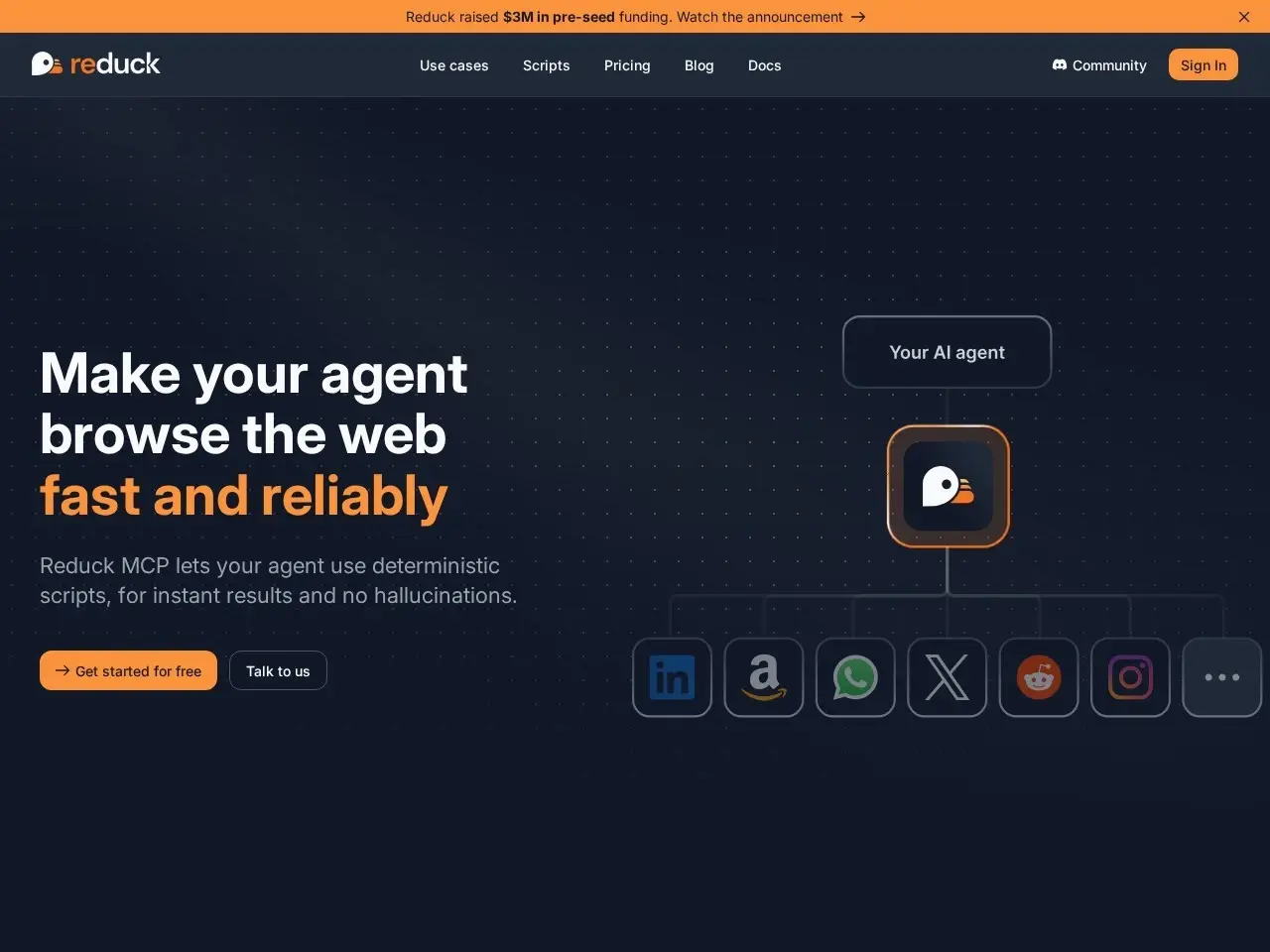
Reduck is a browser-automation product for AI agents. Rather than treating every web task as a fresh sequence of mouse clicks and page observations, the product’s approach centres on reusable scripts that agents can discover and run. This can help turn repeated website interactions into a more structured process.
Reduck’s homepage describes the product as helping agents browse the web faster and more reliably. Its browser automation page describes how to connect ChatGPT to websites and offers two approaches to execution: run locally in the browser with a Reduck Chrome extension, or run on demand in a Reduck cloud browser. The page also describes a free allowance of up to 100 scripts for local use and an approximate allowance of 100 scripts or 1 hour for cloud-browser use.
The product’s focus is relevant to a common limitation of AI agents: websites are designed for people, not necessarily for software agents. Many sites lack a public API, and even those that do may not expose every action an agent needs. Browser automation can bridge that gap by letting an agent work through the website interface.
That makes Reduck AI for no-API website automation an appealing concept for teams that want agents to complete web-based tasks without having to build and maintain custom integrations for every service. Still, browser automation is not the same as API access. A page redesign, login challenge, or workflow change can affect an automation, so teams should test critical processes and have a way to handle failures.
Reduck’s key idea is to allow agents to use browser scripts to perform website tasks. Instead of asking an agent to rediscover every step each time, reusable automation can provide a more repeatable route through a workflow. This could be useful when the same actions need to be performed regularly, such as looking up records, collecting information, or completing routine web forms.
The phrase “Reduck AI deterministic browser script” is useful for describing this goal: a script is intended to make execution more predictable than relying on an agent to improvise each click. “Deterministic” should be understood as an aspiration or workflow property, not a guarantee that a website task can never fail. Website changes, permissions, unexpected pop-ups, and other conditions can still interrupt automation.
Reduck is associated with MCP, a protocol for connecting AI systems to tools and external capabilities. Reduck’s public materials refer to Reduck MCP as a way for agents to discover and execute browser automation scripts. This positions it as a bridge between an AI agent and websites that the agent needs to use.
For developers, Reduck AI MCP browser automation may be especially relevant when an agent needs access to web tasks through a tool-oriented workflow. The practical benefit is that an agent can invoke browser actions as part of a larger process, rather than being limited to generating instructions for a human to carry out. Before adopting it, developers should review current documentation for supported clients, setup requirements, permissions, and limits.
Reduck describes two ways to run browser tasks. In the browser, the Chrome extension provides a local option. In the cloud, Reduck can run tasks in a hosted browser on demand. The choice matters: local execution may be convenient for a user who is already working in a browser. In contrast, cloud execution may suit workflows that need to run without keeping a user’s computer active.
The right option depends on privacy requirements, available infrastructure, the need for unattended operation, and the task details. A local browser may have access to an authenticated session already open on the user’s device, while a cloud browser may need its own session and configuration. Teams should verify which data is processed, where automation runs, and how credentials and sessions are handled before connecting to sensitive accounts.
One reason teams explore reusable scripts is to avoid asking an AI model to reason through the same page layout on every run. Reusable automation may reduce repeated exploration and can help keep a workflow more consistent. This is the basis for search phrases such as reducing AI agent token usage.
However, actual token savings depend on how a workflow is built and measured. The number of page observations, model calls, retries, and script executions can vary. Organisations should compare the cost and reliability of a scripted process with their existing approach rather than assume a fixed reduction.
A common use case for browser automation is interacting with a website that does not expose the right API, or has no public API at all. Reduck’s positioning makes Reduck AI no-API website automation an important keyword and use-case description.
This can expand the range of tasks an agent can perform, but it also comes with trade-offs. APIs are typically designed for programmatic access and can offer structured responses and stable contracts. Browser automation interacts with a visual interface and can be more sensitive to changes. For important or high-volume processes, compare the browser route with official APIs, integrations, or approved automation methods.
Reduck’s marketing emphasises speed and reliability. Reusable automation can contribute to consistency by using the same defined steps across repeated tasks, while browser execution enables interaction with services otherwise inaccessible to an agent.
No browser automation product can eliminate every source of failure. A website can change its layout, its security checks, or its state. For that reason, teams should define how errors are detected, whether actions require human confirmation, and how they will audit completed work. If a workflow can send messages, update customer records, or make purchases, test it carefully before enabling it at scale.
The exact setup can vary by agent, website, and Reduck plan, so consult the current product documentation for step-by-step instructions. At a high level, a typical workflow looks like this:
This careful rollout is especially important for terms such as Reduck AI code at run and Reduck AI at build. In agent development, teams may distinguish between capabilities prepared during development and automation that is discovered or executed at runtime. The exact meaning and support for these patterns should be confirmed in Reduck’s current technical documentation rather than inferred from the keyword alone.
Reduck’s homepage search listing shows Pro at USD 20 per month and Max at USD 100 per month. Its browser-automation page also describes a free allowance: up to 100 scripts for local browser use, and up to approximately 100 scripts or 1 hour for cloud browser use.
These figures are a snapshot of publicly indexed information and may not represent every plan detail or current limit. Check Reduck’s official pricing page for the latest pricing, billing terms, script allowances, cloud usage limits, and any team or custom plan options before purchasing.
When evaluating the cost, look beyond the subscription price. Consider how often the scripts will run, how much time they save, the cost of model calls, and the effort needed to maintain workflows as websites change. A low monthly price may be attractive for experimentation, while a production workflow must also account for reliability, monitoring, support, and human review.
An AI agent may need to gather details from several web pages and return a structured summary. Browser automation can help with repetitive navigation and data extraction, particularly when sites lack suitable APIs. Teams should verify that the collection complies with each site’s terms and any applicable privacy or data-use rules.
Businesses often use web-based tools for internal operations. An agent that can navigate these interfaces may help with repetitive tasks such as opening records, locating information, or updating fields. For consequential changes, consider approval checkpoints and an audit trail.
Sales teams sometimes work with web platforms to research companies or prospects. Searches such as Reduck LinkedIn Sales Navigator and Reduck LinkedIn Leads Navigator reflect interest in automating sales-research workflows.
These should be treated as potential scenarios to evaluate—not as confirmation that Reduck has a dedicated LinkedIn integration or endorses every form of automation on LinkedIn. Users should review LinkedIn’s terms, account restrictions, privacy obligations, and Reduck’s supported capabilities before automating any LinkedIn activity. A safer initial experiment may be limited to permitted research tasks that do not send messages, collect restricted data, or perform actions at scale.
Agents can be useful in support operations where they need to look up information across web tools. A browser-based workflow might help retrieve details for a support agent, but responses sent to customers should be checked for correctness and tone. If Reduck is used to trigger communications, make sure the system cannot send unintended or duplicate messages.
The keyword “Reduck Social Media Tools” suggests a possible category of interest: using browser automation to assist with routine social media tasks. This could include navigating a social platform or gathering information, but the product’s publicly available materials here do not indicate a dedicated social media management feature. Confirm platform support and permitted use before relying on it for publishing or engagement.
The phrase “Reduck AI for Telegram” may be relevant to users seeking Telegram automation. The publicly available product information does not confirm native Telegram integration. If Telegram is part of a desired workflow, check whether the task is supported through a browser, an official API, or another approved connection. For bot workflows, Telegram’s own bot interfaces may be more appropriate than automating its website.
The best alternative depends on whether you need an agent protocol, a browser-control framework, a visual workflow builder, or a website-specific integration. These tools are part of the broader browser automation and agent ecosystem; their exact features, pricing, and compatibility should be verified against the current documentation.
Reduck may suit developers and teams building agents that need to repeatedly interact with websites, especially when a direct integration is missing. It may also appeal to people exploring MCP-based tooling and seeking a reusable way to expose browser tasks to an AI agent.
It may be less suitable for workflows that require guaranteed, uninterrupted execution without monitoring, or for tasks where the target website prohibits automation. Teams handling sensitive information should evaluate data handling, access controls, and deployment options before connecting accounts. For high-impact tasks—such as financial transactions, customer communications, or changes to important records—keep human approval in the loop until the workflow has been thoroughly tested.
Reduck addresses a practical challenge in agent development: AI systems often need to interact with websites not built with agents in mind. Its focus on reusable browser scripts, MCP-oriented access, and local or cloud execution makes it worth evaluating for teams looking to automate recurring web tasks.
The strongest potential fit is a stable, repeatable workflow in which an agent needs to interact with a site that lacks a suitable API. Reusable scripts may improve consistency and reduce repeated exploration, but they do not remove the need for testing, maintenance, permissions, and error handling. Browser automation remains sensitive to website changes and policy restrictions.
The publicly available information for this review lists Pro at USD 20 per month and Max at USD 100 per month, along with a free usage allowance; confirm the current terms and limits directly before subscribing. Also verify specific integrations: searches for Telegram, LinkedIn Sales Navigator, and social-media workflows should not be taken as proof that Reduck offers dedicated support for those services.
Overall, Reduck AI is best categorised as an AI Agent and Browser Automation tool. It is a promising option to test when agents need to operate across websites, provided that teams start with low-risk tasks, carefully validate the automation, and retain human oversight for consequential actions.
The content provided on this site, AISoftRadar, specifically Reduck AI, is sourced from the internet. We do not guarantee the accuracy or completeness of any external links, nor do we exercise actual control over the destinations to which these links point. At the time of indexing (2026-11-11 10:35 PM), the content on the linked pages was compliant and lawful. Should any content on these pages subsequently become non-compliant or illegal, please contact the site administrator to request its removal. AISoftRadar assumes no liability in this regard.