
Beautiful AI
The AI presentation maker built for speed and polish. Beautiful.ai helps you create professional, client-ready slide decks in minutes. Try it free for 14 days
Discover Lynote AI, an all-in-one AI writing and productivity platform. Explore its AI humanizer, detector, transcription, summarisation, notes, and practical use cases.
 Lynote AI
 is an all-in-one artificial intelligence platform designed to simplify writing, learning, research, and digital content creation. It combines AI-powered writing tools, content detection, transcription, summarisation, translation, and note-taking capabilities into a single workspace.
Rather than requiring users to subscribe to multiple separate applications, Lynote brings together multiple productivity features. Its primary focus is helping users analyse information, improve written content, process multimedia materials, and organise knowledge more efficiently. The platform is particularly useful for students, researchers, educators, content creators, digital marketers, and business professionals who regularly work with large volumes of information.
One of Lynote’s central features is its AI Humaniser, which helps transform AI-generated drafts into more natural-sounding writing. Its AI Detector complements this functionality by analysing text and identifying sentences that may exhibit AI-generated writing patterns.
Beyond writing, Lynote provides tools for converting audio and video into text, generating notes from documents, summarising YouTube videos, creating study flashcards, and translating content. This combination makes Lynote more than a conventional AI paraphrasing tool. It functions as a broader AI-powered productivity and knowledge-management workspace.
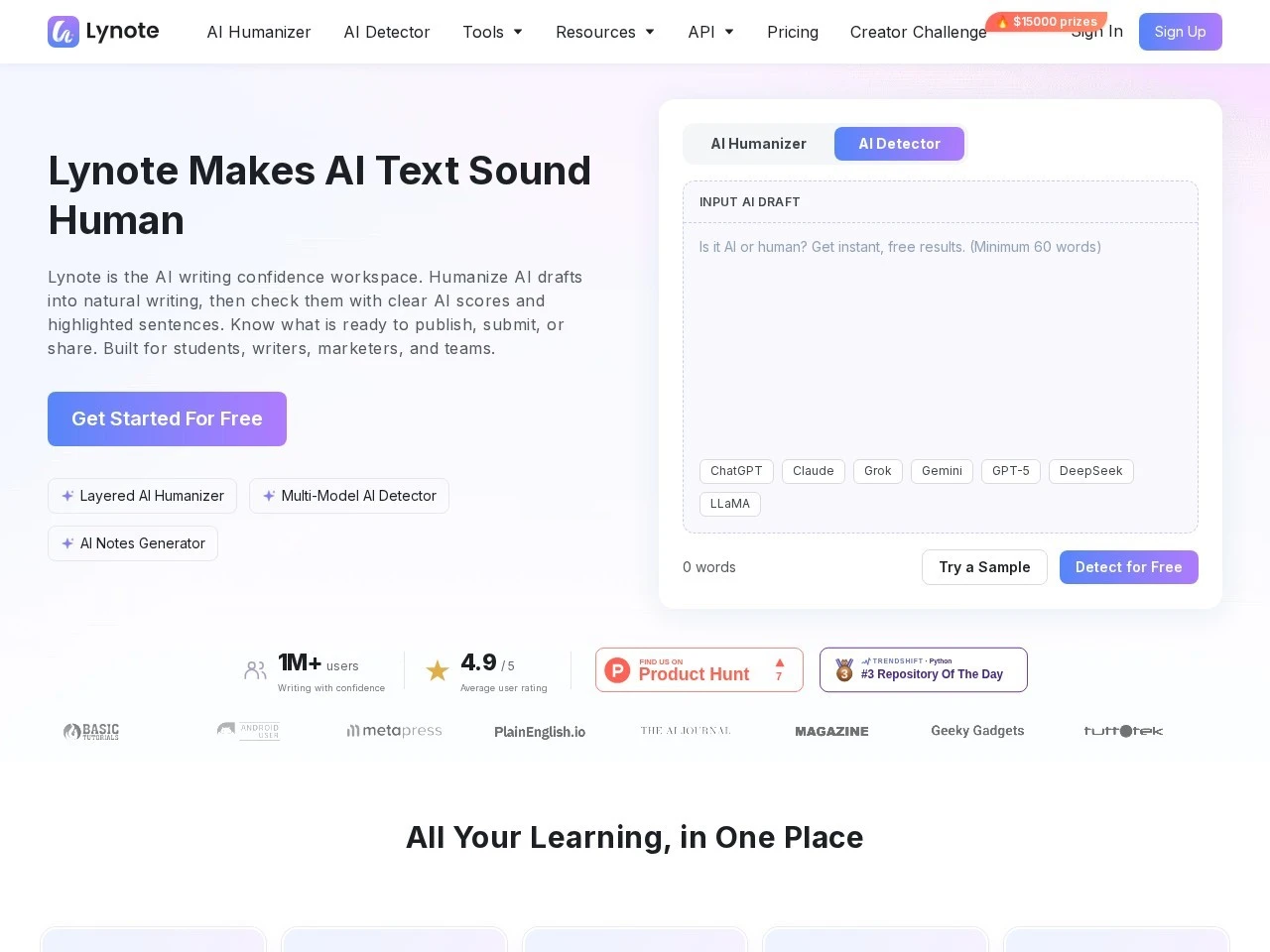
Lynote follows a relatively straightforward workflow:
The platform also offers a Chrome extension that brings selected capabilities, including AI detection, humanisation, and YouTube transcription, into the browser.
| Target users | Practical application |
|---|---|
| Students | Summarising lecture materials, generating revision notes, and creating flashcards. |
| Researchers | Processing academic documents, organising literature notes, and transcribing interviews. |
| Bloggers | Refining AI-assisted articles and improving readability. |
| SEO specialists | Improving blog posts, website content, product descriptions, and landing pages. |
| Educators | Preparing teaching materials, summarising resources, and reviewing submitted work. |
| Business owners | Processing reports, improving business communications, and translating documents. |
| Content creators | Extracting YouTube transcripts, summarising videos, and organising content ideas. |
| Journalists | Transcribing recordings and organising information from multimedia sources. |
Students and researchers can use Lynote to process lengthy academic documents, generate structured notes, and create flashcards. For example, a postgraduate researcher working with several journal articles can upload documents, generate summaries, and use AI chat to explore important concepts.
However, generated summaries should always be checked against the original publications. Lynote should support academic work rather than replace critical reading and independent analysis.
Digital marketers and bloggers can use Lynote to refine AI-assisted articles, improve sentence structures, and prepare website content. Its humanisation capabilities can help reduce repetitive writing patterns and improve readability. This is particularly useful when producing blog posts, product descriptions, email campaigns, and website copy.
Businesses can use Lynote to process documents, summarise information, translate content, and improve written communications. For example, a business consultant could convert recorded discussions into transcripts and generate organised notes for preparing reports.
Users who rely on YouTube tutorials, lectures, and educational videos can extract transcripts and summaries. This makes it easier to revisit important information, identify key discussion points, and convert video lessons into revision materials.
Editors, publishers, and educators can use the AI Detector to examine submitted text and identify potentially AI-generated sections. However, AI detection scores are probabilistic indicators, not definitive proof of authorship. False positives and false negatives are possible. Therefore, detection results should never be used as the sole basis for decisions regarding academic or professional misconduct.
Lynote’s biggest advantage is its combination of different AI productivity tools. Many AI applications specialise in one particular function, such as text humanisation, transcription, summarisation, or content detection. Lynote combines several of these capabilities.
Its key differentiators include:
Lynote offers a free entry-level experience, allowing users to explore selected tools without immediately committing to a paid subscription.
The platform also advertises paid plans with additional controls and higher usage limits. Its pricing structure and available credits may differ between individual features and product offerings.
Users should consult the official pricing page for the latest subscription costs, credit allocations, and usage restrictions before purchasing.
| Advantages | Limitations and considerations |
|---|---|
| Combines multiple AI tools in one platform. | Some advanced functionality may require paid credits or subscriptions. |
| Supports writing improvement and AI detection. | AI detection cannot guarantee accurate authorship identification. |
| Offers transcription and summarisation. | Generated transcripts and summaries require verification. |
| Supports academic and business workflows. | AI-generated notes may omit important contextual information. |
| Includes flashcards and AI-powered notes. | Generated study materials still require human review. |
| Browser-based accessibility. | Users should review privacy and data-handling terms before uploading sensitive information. |
| Supports multilingual workflows. | Translation quality may vary depending on language and subject matter. |
Lynote AI is a versatile AI productivity platform that brings together several useful tools for writing, learning, research, and digital content processing.
Its strongest selling point is the integration of AI humanisation, detection, transcription, summarisation, and note generation within one workspace.
For students, it offers a convenient way to organise learning materials. For researchers, it can simplify document processing and information extraction. For bloggers and marketers, its writing tools can help refine AI-assisted content. Businesses can also benefit from its transcription, translation, and document-processing capabilities.
However, Lynote should not be viewed as a replacement for human judgement, professional editing, or academic integrity. Its AI detection results should be interpreted cautiously, and generated content should always be reviewed.
Final verdict: Lynote AI is worth exploring for users seeking an all-in-one AI writing and productivity toolkit. Its broad functionality makes it particularly interesting for individuals and organisations that regularly work with written and multimedia information.
Editorial note: This review is based on Lynote’s published product information and available supporting documentation. Features, pricing, and usage limits should be independently verified before publication.
The content provided on this site, AISoftRadar, specifically Lynote AI, is sourced from the internet. We do not guarantee the accuracy or completeness of any external links, nor do we exercise actual control over the destinations to which these links point. At the time of indexing (2026-11-14 4:06 PM), the content on the linked pages was compliant and lawful. Should any content on these pages subsequently become non-compliant or illegal, please contact the site administrator to request its removal. AISoftRadar assumes no liability in this regard.


