
Typewise AI
Enterprise-grade AI customer service platform that cuts handling time 50 %. Book a demo – Typewise.
LOADING
Write effortlessly and efficiently with QuillBot`s suite of AI tools. Paraphrase, check grammar, analyse tone, improve fluency, and more. Start doing you
 QuillBot AI Writing Tool
Brief justification: QuillBot’s core purpose is helping people create and refine written content. Its paraphraser, grammar checker, summarizer, translator, citation generator, AI chat, and related tools support writing from first draft through revision. It also has research-oriented features. Find this tool under the “AI Content Creation” category on AI Soft Radar and describe it as an “AI Writing Assistant”or “AI Writing Tool“.
QuillBot is an AI writing assistant designed to help people rewrite, edit, summarise, and create written content. Its best-known feature is the paraphraser, but the platform now brings together a wider range of tools, including grammar checking, AI detection, plagiarism checking, citation creation, translation, AI chat, and content-generation features. The suite aims to support different stages of writing in one place, from brainstorming and drafting to polishing and checking a final document.
For students, professionals, content creators, and business owners, QuillBot can be a convenient way to improve clarity and move through routine writing tasks faster. It is not a substitute for subject expertise, fact-checking, or a writer’s own judgment. Rather, it works best as an editing and productivity aid: it can suggest alternative wording, flag possible errors, and help users make long text easier to scan.
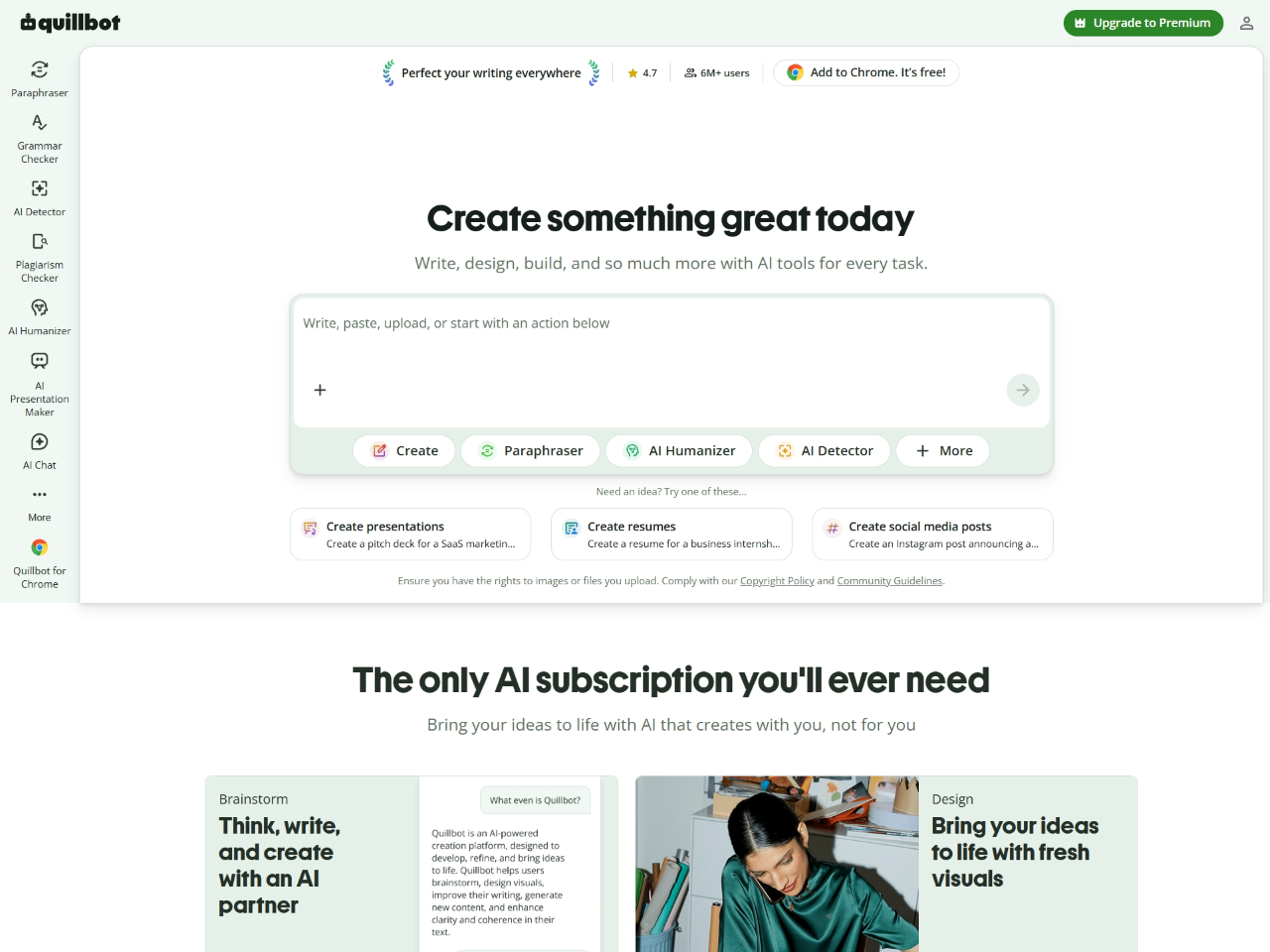
QuillBot is a web-based AI writing platform with tools for writing, editing, originality checks, and content creation. Users can work with individual tools such as the paraphraser or grammar checker, or use its broader workspace to brainstorm, write, and refine content. The company also offers browser extensions and apps to make its writing assistance available across different devices and platforms.
The platform’s core audience includes people who write frequently and want help revising or expressing ideas more clearly. A student might use it to simplify a dense sentence, while a marketer might use it to generate alternate wording for a short post. A professional could use the grammar checker to review an email, and a researcher might use the summarizer to get an initial overview of a long passage.
QuillBot’s main distinction is the breadth of its writing-focused toolkit. Rather than focusing only on long-form AI generation or grammar correction, it combines multiple tasks- rewriting, summarising, translating, checking, and citation support- under one product umbrella.
The paraphraser rewrites user-provided text while aiming to retain its original meaning. It is useful when a sentence feels awkward, repetitive, too informal, or difficult to understand. Depending on available modes, users can guide the rewrite toward different goals, such as fluency, concision, or a different tone.
The paraphraser is most useful as a source of suggestions, not as an automatic replacement for careful editing. A rewritten sentence can change emphasis or introduce a subtle meaning shift, so users should compare the new version with the original before using it.
The grammar checker reviews writing for issues such as grammar, spelling, and punctuation. It can help users catch common errors and improve readability before sending a message or submitting a document. For quick proofreading, this may save time; for complex or high-stakes writing, a human review is still valuable.
The summarizer condenses longer material into a shorter form, helping users identify its key ideas. This can be useful when reviewing notes, articles, or other text. A summary is a starting point for understanding; however, it is not a replacement for reading the original when exact details, caveats, or context matter.
QuillBot’s translator helps convert text between languages. This can support initial comprehension or help users prepare a rough translation. Because expressions, idioms, and specialist terminology can be difficult to translate accurately, important translations should be checked by a fluent speaker or qualified professional.
QuillBot lists both a plagiarism checker and an AI content detector among its tools. The plagiarism checker is designed to help identify text that may overlap with existing material. The AI detector assesses whether writing may have been generated by AI.
These tools should be treated as screening aids, not definitive proof. Detection results can be imperfect, and a user should not rely on a detector alone to decide whether work is original or who wrote it. For academic or workplace use, follow the relevant institution’s or organization’s policies.
The citation generator helps users create citations in supported formats. It can reduce the time spent formatting references, especially for routine assignments or research documents. Users should still check each citation against the source and the required style guide; inaccurate source details or formatting can undermine an otherwise well-prepared bibliography.
QuillBot also offers AI chat for brainstorming and getting answers, as well as creative tools such as an AI image generator and presentation creator. Its site lists additional features, including cover letter and social media writing tools, PDF utilities, and file converters.
This broad range makes QuillBot more than a paraphrasing tool, although the number of tools can also make it important for new users to focus on the specific features they actually need.
A typical workflow is straightforward:
A good practice is to provide only the text needed for a particular task and avoid pasting sensitive or confidential information unless you have checked the service’s applicable privacy terms and your organization’s policies.
QuillBot offers a free plan and paid Premium plans. At the time checked, the official pricing information lists Premium at USD 19.95 per month when billed monthly, USD 39.95 every three months (shown as USD 13.31 per month), or USD 99.95 annually (shown as USD 8.33 per month).
The free plan is available at no cost, while Premium is intended for users who need broader access or higher limits. Exact feature availability and limits may vary by plan and are subject to change, so check QuillBot’s current pricing page before subscribing.
The annual plan has the lowest advertised monthly equivalent, but it requires a larger upfront payment. Occasional users may prefer to start with the free tier or try a shorter billing period before committing to an annual subscription.
Students can use QuillBot to review grammar, improve sentence clarity, summarise reading material, and prepare citations. These functions may be helpful during drafting and revision. Students should follow their school’s rules for AI tools and avoid using paraphrasing to disguise copied work. The goal should be clearer writing and better understanding, with the student responsible for the final submission.
Bloggers can use the paraphraser to explore alternative wording, the grammar checker to proofread drafts, and the summarizer to condense source material. Social media and other writing tools can also help generate a first draft or prompt ideas. Creators should fact-check their work and ensure the finished content reflects their own knowledge and their audience’s needs.
Professionals may find QuillBot useful for polishing emails, reports, briefs, and presentations. Job seekers can use writing tools to review resumes and cover letters, while keeping their experience and achievements accurate. Rewriting should improve expression—not invent qualifications or make a message sound unlike the person sending it.
Small teams often need to create a steady stream of product descriptions, social posts, customer messages, and internal documents. QuillBot’s combination of writing, editing, and creation tools may help with early drafts and routine copy. Businesses should apply brand and legal review where appropriate, especially for claims about products, health, finances, or performance.
The translator and writing tools can assist people who work across languages or write in a language they are still learning. They may help users understand a passage or find more natural phrasing. For legal, medical, technical, or otherwise sensitive content, professional review is important.
The strongest alternative depends on the job. For sentence-level rewriting, compare Wordtune and QuillBot. For detailed editing, consider Grammarly, ProWritingAid, or LanguageTool. For marketing content generation, look at Jasper or Copy.ai. For academic writing, Paperpal may be a closer fit than a broad general-purpose writing suite.
QuillBot is a practical choice for people who want several AI writing tools in one place, particularly if they regularly rewrite, proofread, summarise, translate, or format citations. Its paraphraser is the central attraction, while its broader suite makes it useful for school, work, and content creation tasks.
Its greatest value is convenience: users can move between common writing tasks without relying on a separate tool for each one. Its main limitation is the same as that of AI writing products generally, outputs require human judgment. A polished sentence can still be inaccurate, an altered sentence can lose an important qualification, and automated checks should not be mistaken for a final authority.
For occasional editing, the free plan may be enough to explore whether QuillBot fits your workflow. Frequent users can compare the Premium features and billing options with their actual needs; the listed annual plan is USD 99.95, while monthly billing is USD 19.95 at the time of checking.
Verdict: QuillBot is best categorised as an AI writing assistant within AI Content Creation. It is a useful writing companion for drafting and revision, not a replacement for original thinking, responsible sourcing, or a final human review.
The content provided on this site, AISoftRadar, specifically QuillBot AI Writing Tool, is sourced from the internet. We do not guarantee the accuracy or completeness of any external links, nor do we exercise actual control over the destinations to which these links point. At the time of indexing (2026-04-19 4:12 PM), the content on the linked pages was compliant and lawful. Should any content on these pages subsequently become non-compliant or illegal, please contact the site administrator to request its removal. AISoftRadar assumes no liability in this regard.


