Build web & mobile apps without code with Bubble’s visual editor, workflows, database, integrations & AI tools, from first idea to launch and growth.

Language:
EN
Collection time:
2026-10-18

Bubble Review: Build Web and Mobile Apps Without Code

Bubble is a no-code application development platform for people and teams who want to design, build, and launch custom apps without writing conventional code. Its visual editor, workflows, database, hosting, integrations, and AI-assisted building tools make it a versatile choice for founders, freelancers, agencies, and businesses.

What is Bubble?

Bubble is a visual development platform for creating web and mobile applications. Instead of writing every part of an application in a programming language, users create interfaces in a visual editor, define application behaviour with workflows, and organise information in a built-in database. Bubble also provides hosting and app deployment capabilities, bringing many parts of the development process into one platform.

The platform is aimed at people who want to make functional applications, rather than only static landing pages or clickable design mock-ups. Bubble’s site describes support for production applications, including a database, authentication, hosting, security features, and deployment. Its product offering includes web and mobile app development, with plans that vary by usage and collaboration needs.
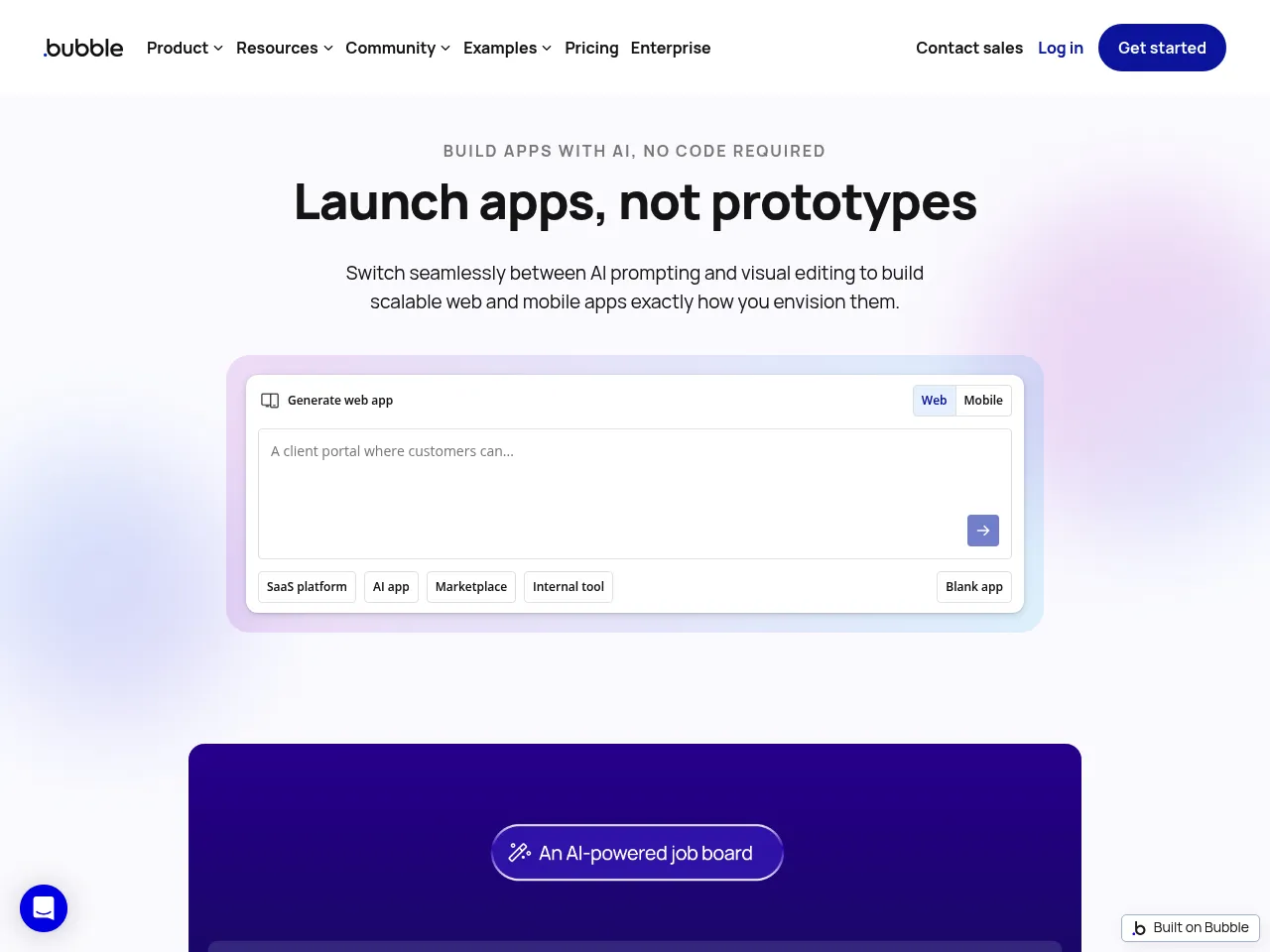
Bubble is also AI-assisted. Its AI app builder can help turn a written description into an initial app structure, which users can then adjust in the visual editor. AI can help users get started, but building a useful product still requires making decisions about its design, data, workflows, and user experience.
1792354208-bubble-io


Main functions

Visual interface design

Bubble’s drag-and-drop editor lets users place and configure elements such as text, buttons, images, forms, and repeating groups. Builders can design pages for different screen sizes and customise visual styles, layouts, and interactions. This makes it possible to create a branded interface without hand-coding every component.

Workflow and business logic

Workflows define what happens when a user takes an action or when a particular condition is met. For example, a button click might create a database record, display a confirmation message, or trigger an external service. Users can construct these processes visually, making common application logic more approachable for non-developers.

Built-in database

Bubble includes a database for storing and managing application information. A marketplace might store listings, profiles, and orders; a booking tool might store customers, appointments, and availability. The database is integrated with the interface and workflows, enabling users to build pages that display and update application data.

User accounts and permissions

Apps often require registration, login, and varying access levels for different user types. Bubble supports user authentication and allows builders to configure how data is accessed. These features are useful for membership products, internal business tools, customer portals, and other apps where each user should see appropriate information.

AI-assisted app creation

Bubble’s AI app-building tools can help users move from an initial description toward a working app structure. This can reduce the amount of blank-page setup required, particularly for early prototypes. Users should still review and refine the generated design, database structure, and workflows before relying on them in a live product.

Integrations and APIs

Bubble apps can connect to external services via integrations and APIs. This is important when an application needs capabilities beyond its built-in features, for example, payments, email delivery, maps, analytics, or data from another service. The available integration path depends on the service and the app’s requirements.

Hosting and deployment

Bubble provides hosting and deployment as part of its platform. The company describes one-click deployment and support for publishing web and native iOS and Android apps. This can simplify the path from development to launch, though the appropriate plan and any platform-specific requirements should be checked before committing to a release schedule.

Plugins, templates, and community resources

Templates and plugins can help users add common layouts or capabilities without having to build everything from scratch. Bubble also provides a marketplace and learning resources, while its community offers examples and peer support. These resources can accelerate development, but third-party plugins should be reviewed for maintenance, security, compatibility, and ongoing costs.

How to use Bubble

  1. Define the app’s purpose. Write down who the app serves, the problem it solves, and the essential tasks users need to complete. Begin with a focused version rather than trying to include every future feature.
  2. Create a Bubble account and start a project. Bubble offers a free plan for building and testing. Choose whether to start from a blank project, a template, or AI-assisted app creation.
  3. Describe or sketch the core experience. If using AI assistance, provide a clear description of the intended app and its main users. Treat the generated result as a starting point: inspect the pages, data types, and behaviour rather than assuming they are production-ready.
  4. Design the interface. Use the visual editor to create the key pages and components. Build the most important user journeys first, such as account creation, search, booking, or checkout. Check layouts across relevant screen sizes.
  5. Set up the data model. Define the information the app must store and how records relate to one another. For example, a booking app might need users, services, available time slots, and reservations. Plan privacy and access rules alongside the data structure.
  6. Create workflows. Connect interface actions to the intended behaviour. Test normal and edge cases, such as incomplete forms, invalid inputs, duplicate submissions, and users without permission.
  7. Connect external services if needed. Add integrations or API connections for capabilities such as payments or email. Test these connections in a safe environment before using real customer data or processing live transactions.
  8. Test with realistic scenarios. Use Bubble’s development environment to check the app with sample data and multiple user roles. Look for confusing interactions, slow pages, workflow errors, and privacy issues.
  9. Choose a plan and launch. Bubble’s free plan is positioned for projects under construction. Paid plans add live-app features and larger resource allowances. Review pricing and usage limits against your expected workload before launching.
  10. Monitor and improve. After launch, track user feedback, performance, usage, and costs. Simplify workflows or revise the data model when needed, and test changes before applying them to the live app.

Bubble pricing

Bubble’s pricing page lists a Free plan at USD 0 per month, with 500 AI credits per month and 50,000 workload units per month. It is intended for projects under construction. The page lists Starter at USD 29 per month when billed annually, with 1,000 AI credits and 175,000 workload units per month.

The listed Growth plan costs USD 119 per month when billed annually and includes 2,000 AI credits, 250,000 workload units, and two app editors. The Team plan is listed at USD 349 per month with annual billing, 4,000 AI credits, 500,000 workload units, and 5 app editors. Enterprise pricing is available by contacting Bubble’s sales team; the pricing page lists unlimited AI credits as a feature.

These are the prices shown on Bubble’s pricing page at the time of writing. The displayed Starter, Growth, and Team prices are annual-billing rates, not a promise of the price under every billing arrangement. Bubble also uses workload units as part of its usage-based pricing model, so costs and the appropriate plan level depend on how an app uses platform resources. Check the official pricing page for current plan details, billing terms, limits, and any additional charges before choosing a plan.

Application scenarios

  • Minimum viable products (MVPs): Founders can use Bubble to build an early version of a product, test it with potential customers, and refine the concept before investing in a larger engineering effort.
  • Marketplaces: A business can create a platform that connects buyers and sellers, service providers and customers, or other groups. Listings, profiles, search, messaging, and booking workflows are common components.
  • Internal business tools: Teams can build dashboards, approval flows, inventory tools, or portals tailored to their processes. This can be useful when off-the-shelf software does not fit, but the app’s data security and maintenance needs should be assessed carefully.
  • Membership and community platforms: Bubble can support accounts, member-only content, directories, and user-specific experiences. Builders can use roles and permissions to shape what different members can access.
  • Booking and scheduling applications: Service businesses can create appointment flows, availability views, customer records, and booking confirmations. Integrations may be needed for calendars, payments, or notifications.
  • SaaS products: Bubble can be used to build subscription software with user accounts, dashboards, and application workflows. As a SaaS grows, the team should closely monitor performance, usage costs, and the platform’s fit for its technical requirements.
  • Prototypes and proof of concept: Designers, product managers, and agencies can demonstrate an interactive idea to stakeholders or users. A Bubble prototype can go beyond static screens by incorporating data and interactive elements.

Pros and cons

Pros

  • No conventional coding required: The visual editor and workflow builder make application development more accessible to people without traditional programming experience.
  • Broad feature set: Design, data, logic, user accounts, hosting, and deployment capabilities are available on a single platform.
  • Useful for testing ideas: Teams can create working prototypes and MVPs without first assembling a full custom software stack.
  • Flexible app types: Bubble can support a range of products, from internal tools and portals to marketplaces and SaaS applications.
  • AI assistance: AI app-building features can help users get an initial structure in place, while the visual editor supports further customisation.
  • Ecosystem: Templates, plugins, and community resources can help builders find examples and extend applications.
  • Free starting point: The Free plan lets you build and test before paying for a live app plan.

Cons

  • Learning curve: “No-code” does not mean “no complexity.” Data modelling, workflow logic, responsive design, permissions, and performance can take time to learn.
  • Platform dependency: Apps built in Bubble rely on Bubble’s platform. That may limit portability compared with software built using a conventional codebase and independently managed infrastructure.
  • Usage-based cost considerations: Workload units and plan limits require attention. Costs may change as an app’s activity and resource use increase.
  • Customisation trade-offs: The visual approach is powerful, but some highly specialised requirements may be easier to implement with custom code or a different architecture.
  • Quality still depends on the builder: AI-generated scaffolding and templates do not replace careful testing, security configuration, accessibility work, and product design.
  • Performance planning matters: Complex workflows, large datasets, or heavy traffic may require optimisation and careful selection of plans.
  • Native-app evaluation is important: Teams targeting app stores should verify that Bubble’s mobile capabilities, workflows, and release process meet their specific needs before making it the foundation of a mobile product.

Alternatives and competing tools

  • FlutterFlow: A visual development platform for building mobile and web applications, with a more code-oriented approach than many no-code tools. It may suit teams that want greater control over the app code and are comfortable with a steeper technical workflow.
  • Adalo: A no-code builder focused on mobile-style applications and straightforward app concepts. It is often considered by beginners who want to assemble simpler mobile experiences visually.
  • Glide: A tool for quickly turning structured data into business apps and internal tools. It can be a good fit for data-driven workflows, though it is not intended to cover every kind of highly customised product.
  • Softr: A no-code platform for portals, client areas, and business applications, commonly used with external data sources. It may be a practical option for teams that want to quickly publish a portal.
  • WeWeb: A visual front-end builder often paired with separate back-end services. This division can offer architectural flexibility, but users may need to configure and manage more components.
  • Webflow: Primarily a visual website and content-management platform. It is a strong candidate for marketing sites and content-led experiences, but complex application behaviour may call for integrations or other tools.
  • Retool: A low-code platform oriented toward internal business software and operational dashboards. It is typically best suited to teams building tools around databases and services they already use.
  • Microsoft Power Apps: A low-code option for businesses using Microsoft’s ecosystem. It can suit internal workflows and enterprise apps, especially where Microsoft integrations are a priority.
  • OutSystems: An enterprise low-code development platform for organisations with larger application and governance needs. It is more enterprise-oriented than many tools aimed at solo creators or early-stage founders.
  • WeWeb with Xano: A common pairing for teams seeking a visual front end with a separately managed back end. It can provide greater separation between application layers, but requires evaluating and maintaining multiple services.

These products are not interchangeable in every project. Compare them based on the application type, required integrations, data ownership, team skills, deployment needs, expected traffic, and long-term cost, not simply the number of features listed on a product page.

Final verdict

Bubble is a compelling option for people who want to visually build a functional web or mobile application without starting with a conventional codebase. Its combination of interface design, workflows, database, hosting, integrations, and AI-assisted app creation makes it especially attractive for MVPs, marketplaces, portals, internal tools, and early SaaS products.

Its strengths come with trade-offs. Users need to learn how to structure data and workflows, test carefully, configure permissions, and watch usage as an app grows. The platform’s pricing model and workload units also deserve attention during planning. Teams with unusual technical requirements, strict infrastructure constraints, or a strong need to move freely between platforms should compare Bubble with code-oriented or composable alternatives before committing.

For founders and small teams who value speed and visual control, Bubble is worth exploring, especially since its Free plan lets you build and test before upgrading. The best approach is to prototype the core user journey, test the app with realistic data, estimate its likely resource needs, and confirm that the platform suits the product’s long-term requirements before launch.

data statistics

Data evaluation

Bubble has reached 2 views. If you would like to check the site's authority metrics, you can click on the following links: "5118 Data," "Aizhan Data," or "Chinaz Data." Based on current data, we recommend using Aizhan Data as your primary reference. Other factors for evaluating a website's value include access speed, search engine indexing, and user experience. Ultimately, assessing a site's value depends largely on your specific needs and objectives; for precise metrics—such as IP, page views (PV), or bounce rate—you should consult directly with the site owner of Bubble.

Regarding Bubble Special Notice

The content provided on this site, AISoftRadar—specifically Bubble—is sourced from the internet. We do not guarantee the accuracy or completeness of any external links, nor do we exercise actual control over the destinations to which these links point. At the time of indexing (2026-10-18 10:07 PM), the content on the linked pages was compliant and lawful. Should any content on these pages subsequently become non-compliant or illegal, please contact the site administrator to request its removal. AISoftRadar assumes no liability in this regard.

Relevant Navigation

No comments

none
No comments...