How Startup Founders Create Professional LinkedIn Profiles with AI
AI LinkedIn profile optimization
Introduction
In today’s competitive business environment, a professional LinkedIn profile is more than an online CV. For startup founders, entrepreneurs and business professionals, it is an important personal branding asset that can influence how potential investors, customers, business partners, employees and industry leaders perceive them.
Before arranging a meeting, investing in a business or entering a partnership, people often research the individuals behind the organisation. Their LinkedIn profiles can provide an initial impression of their experience, expertise, credibility and professional ambitions.
However, creating a compelling profile takes more than adding a job title and uploading a photograph. Founders must communicate their business vision, explain their achievements, demonstrate industry knowledge and establish a recognisable professional identity.
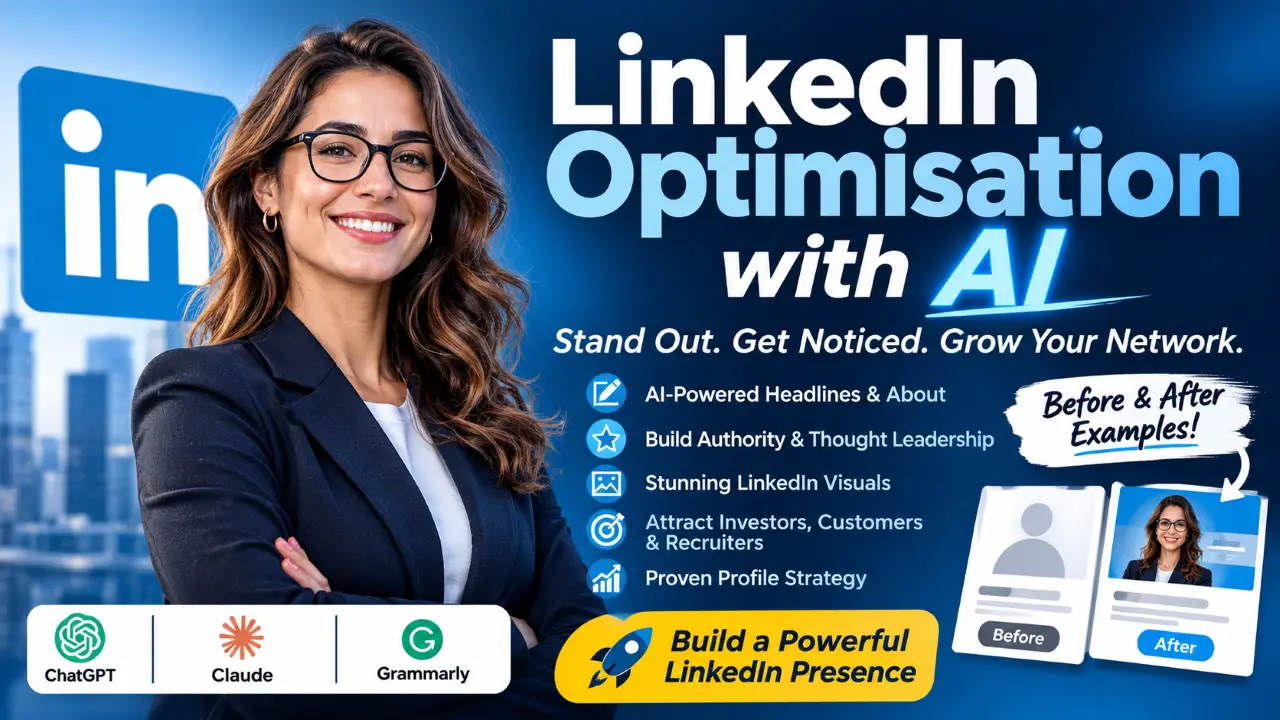
Artificial intelligence is making this process easier. Tools such as ChatGPT, Claude and Grammarly can help founders write compelling headlines, improve their professional biographies, organise their achievements and develop consistent personal branding messages. Visual platforms such as Canva and AI headshot generators can also help create professional profile photographs and LinkedIn banners.
The important distinction is that successful founders use AI to communicate their genuine experience more effectively, rather than allowing AI to invent a professional identity for them.
In this guide, we explore how startup founders can use AI to create professional LinkedIn profiles, compare useful AI tools, examine practical examples and develop a profile strategy that attracts meaningful business opportunities.
Why LinkedIn Matters for Startup Founders
LinkedIn provides entrepreneurs with an opportunity to establish professional visibility beyond their company’s website.
A startup’s corporate profile explains what the organisation offers. The founder’s personal profile communicates the experience, thinking, leadership and personality behind the business. These two identities complement each other.
According to LinkedIn’s own founder guidance, the platform can support business objectives such as attracting investors, building communities, recruiting talent and developing a professional brand. A strategically developed founder profile can help achieve several objectives.
1. Building credibility with investors
Investors evaluate more than a business idea. They also consider the people responsible for executing it. A founder’s profile should communicate relevant experience, industry knowledge, leadership capabilities and an understanding of the market being addressed.
For example, a technology entrepreneur developing an AI-powered financial platform should explain their interest in financial technology, relevant business experience and the problem their startup aims to solve. Where appropriate, genuine achievements, product launches, customer traction and previous entrepreneurial experience can strengthen the profile.
2. Attracting potential customers
- Customers want to understand whether a business can solve their problems.
- A founder’s headline and About section should explain the audience they serve, the challenges they address and the value they provide.
- Rather than simply describing themselves as a business owner, entrepreneurs should communicate their expertise and customer focus.
3. Developing professional partnerships
A clear professional identity makes it easier for complementary businesses, suppliers, consultants and industry professionals to understand potential partnership opportunities.
4. Recruiting talented employees
Startup founders frequently compete with established organisations for skilled employees. A well-developed LinkedIn profile can communicate the company’s mission, leadership approach and professional culture, helping potential employees understand the opportunity.
5. Establishing thought leadership
Founders can use LinkedIn to share industry insights, business lessons, product developments and professional experiences. Over time, meaningful contributions can help establish a recognisable professional voice.
What Makes a Professional LinkedIn Profile Successful?
A successful LinkedIn profile should answer five questions:
- Who are you?
- What do you do?
- Who do you help?
- What makes your experience relevant?
- How can someone engage with you?
The most important profile elements include:
| Profile element | Purpose |
|---|---|
| Profile photograph | Establishes visual recognition |
| Background banner | Communicates personal or business branding |
| Headline | Explains professional positioning |
| About section | Tells the founder’s professional story |
| Experience | Demonstrates relevant achievements |
| Skills | Highlights professional capabilities |
| Featured section | Displays work, publications and achievements |
| Recommendations | Provides third-party professional validation |
LinkedIn recommends maintaining a complete profile, using a professional photograph, writing a meaningful summary, listing relevant skills and requesting recommendations. The platform also offers AI-powered profile writing assistance to eligible Premium subscribers, although feature availability depends on subscription eligibility.
Source: LinkedIn – Create a Good LinkedIn Profile.
How to Use AI to Build a Professional LinkedIn Profile
AI can support almost every stage of profile development. The best approach is to provide an AI assistant with accurate information about your professional background, business, audience and objectives.
1. Creating a compelling LinkedIn headline with AI
Your headline is one of the first elements people see when visiting your LinkedIn profile. Many founders make the mistake of using only their job title. Examples include:
- Founder and CEO.
- Entrepreneur.
- Business Owner.
- Technology Consultant.
These descriptions identify a position but do not explain the value the individual offers. A stronger headline communicates professional identity, expertise and audience.
Example: Basic headline
Founder and CEO at ABC Technologies.
Improved headline
Startup Founder | Building AI-Powered Business Solutions | Helping Small Businesses Improve Productivity and Operational Efficiency.
The improved version communicates more information and includes relevant professional keywords.
Using ChatGPT to generate LinkedIn headlines
ChatGPT can produce several headline variations based on a founder’s experience and business objectives.
A useful prompt is:
“Act as a professional LinkedIn personal branding strategist. Create five compelling LinkedIn headlines for a startup founder developing AI-powered business software. The target audience includes investors, business owners and technology professionals. Highlight the founder’s expertise, target market and business value. Keep the language professional, credible and natural. Do not invent achievements or qualifications.”
Review the suggestions and select the headline that best represents your actual professional identity.
2. Writing an engaging LinkedIn About section
The About section provides an opportunity to explain your professional journey, business interests and future ambitions. A good founder biography should be informative without sounding like a corporate advertisement. A useful structure includes:
- A compelling opening statement.
- Your professional background.
- The problem your business addresses.
- Your experience and relevant achievements.
- Your professional interests and vision.
- An appropriate invitation to connect.
Example: Basic About section
I am a startup founder interested in technology and business development. I enjoy helping organisations improve their operations through innovative solutions.
AI-assisted improved version
I am an entrepreneur and technology founder passionate about developing practical digital solutions that help businesses operate more efficiently.
My work focuses on identifying business challenges and using emerging technologies, including artificial intelligence, to develop accessible and scalable solutions.
Through my entrepreneurial journey, I have developed an interest in innovation, product development, business strategy and digital transformation.
I enjoy connecting with entrepreneurs, investors, technology professionals and organisations interested in exploring new business opportunities.
I believe successful innovation begins with understanding real problems and creating solutions that deliver measurable value.
I welcome conversations about technology, entrepreneurship, partnerships and the future of digital business.
The improved version communicates a clearer professional identity while maintaining a natural tone. The information should always be adjusted to reflect the founder’s real experience.
3. Improving professional experience descriptions
The Experience section should demonstrate what you have accomplished, not simply list your responsibilities. AI can help convert basic descriptions into achievement-focused statements.
For example:
Before AI assistance
Founder of a technology startup responsible for managing the business and developing software solutions.
Improved version
Founded and developed a technology startup focused on delivering digital solutions for business customers.
Key responsibilities include:
- Developing product strategies and business objectives.
- Identifying market opportunities and customer requirements.
- Coordinating product development and technology initiatives.
- Building professional relationships and exploring strategic partnerships.
- Supporting business growth and operational development.
Where verified information is available, include measurable achievements such as revenue growth, customer numbers, successful product launches or operational improvements. Never ask AI to invent financial results, customer numbers or professional achievements.
4. Creating a strong professional summary
A professional summary should provide a concise overview of your expertise and professional direction.
For founders, it can highlight:
- Business leadership.
- Entrepreneurial experience.
- Industry specialisation.
- Technology interests.
- Strategic capabilities.
- Professional achievements.
ChatGPT and Claude can help transform information from a CV, business biography or existing LinkedIn profile into a concise summary.
The objective is to make the founder’s professional identity easy to understand.
Best AI Tools for Creating a Professional LinkedIn Profile
Different AI tools perform different functions. Rather than expecting one platform to manage everything, founders can combine a few specialised tools.
1. ChatGPT – Best Overall AI Writing Assistant
ChatGPT is a versatile AI assistant that can help entrepreneurs develop their LinkedIn profiles from the initial planning stage through final editing. Its conversational interface makes it useful for brainstorming, rewriting and developing professional content. Official website: https://chatgpt.com/
Key features
- LinkedIn headline generation.
- Professional biography writing.
- About section development.
- Experience description rewriting.
- Personal branding strategy.
- Tone and style adjustments.
- Content ideas for thought leadership.
- Image creation for supporting visual concepts.
How founders can use it
- Start by providing ChatGPT with your professional background, company description, target audience and objectives.
- Ask it to create several versions of your headline and About section.
- You can then request different positioning approaches, such as investor-focused, customer-focused or leadership-focused.
Pricing
ChatGPT offers a Free plan and paid subscriptions. ChatGPT Plus is listed at US$20 per month.
Advantages
- Flexible writing and brainstorming capabilities.
- Useful for multiple LinkedIn profile sections.
- Can generate alternative versions quickly.
- Suitable for founders with limited writing experience.
Limitations
- May produce generic or exaggerated language without sufficient context.
- Requires human editing and fact-checking.
- Does not independently verify a founder’s achievements.
Overall assessment: An excellent starting point for founders who want an adaptable AI writing assistant.
2. Claude – Best for Professional Storytelling
Claude, developed by Anthropic, is particularly useful for developing structured professional narratives and refining longer pieces of writing. Founders often have complicated professional journeys involving different industries, projects and business experiences. Claude can help organise these experiences into a coherent story. Official website: https://claude.ai/
Key features
- Professional biography writing.
- Long-form content editing.
- Professional storytelling.
- Tone refinement.
- Structured content development.
- Career and business narrative organisation.
How founders can use it
- Provide Claude with your professional history, business mission and important achievements.
- Ask it to develop an About section that explains your entrepreneurial journey while highlighting your current business objectives.
- You can also request different versions for investors, prospective clients and industry professionals.
Pricing
Claude offers a Free plan. Its Pro subscription is US$20 monthly or approximately US$17 per month when billed annually.
Advantages
- Strong long-form writing capabilities.
- Useful for developing coherent professional narratives.
- Supports structured editing and rewriting.
- Helps refine complex professional information.
Limitations
- Requires detailed instructions to avoid generic writing.
- Does not independently authenticate professional claims.
- Usage limits apply.
Overall assessment: A strong option for founders who want their LinkedIn profile to communicate their professional journey naturally.
3. Grammarly – Best for Professional Editing
Grammarly helps founders improve the quality and readability of their LinkedIn content. While ChatGPT and Claude can create initial drafts, Grammarly can help refine the language before publication. Official website: https://www.grammarly.com/
Key features
- Grammar and spelling correction.
- Sentence rewriting.
- Tone suggestions.
- Writing clarity improvements.
- AI-assisted writing.
- Plagiarism checking on eligible plans.
How founders can use it
- Paste your headline, About section or experience descriptions into Grammarly.
- Review its suggestions to improve sentence structure, clarity and professional tone.
- Pay particular attention to removing unnecessary words, repetitive phrases and awkward expressions.
Pricing
Grammarly offers a Free plan and a Pro plan listed from US$12 per month.
Advantages
- Useful for polishing professional writing.
- Helps improve readability.
- Offers tone and sentence suggestions.
- Works alongside other writing tools.
Limitations
- Does not replace a complete personal branding strategy.
- Editing suggestions may occasionally remove individual personality.
- Requires human review.
Overall assessment: A useful finishing tool for founders who want polished, professional LinkedIn content.
4. Canva – Best for LinkedIn Banners and Visual Branding
Canva provides an accessible design platform for creating professional visual assets. Its AI-assisted design capabilities can help founders develop LinkedIn banners that communicate their business identity. Official website: https://www.canva.com/
Key features
- LinkedIn banner templates.
- AI-assisted design generation.
- Brand colours and typography.
- Image editing.
- Background removal.
- Social media graphics.
- Reusable branding templates.
How founders can use it
- Start with a LinkedIn personal profile banner template.
- Add your professional positioning statement, business speciality, brand colours and relevant visual elements. For example, a technology founder might use a banner communicating:
- “Building Practical AI Solutions for Modern Businesses.”
- Keep the design clean and ensure important text remains visible on different screen sizes.
Pricing
Canva offers a Free plan. Canva Pro is listed at US$144 annually for an individual subscription.
Advantages
- Beginner-friendly interface.
- Useful templates.
- Supports consistent personal branding.
- Combines design and AI-assisted creative tools.
Limitations
- Some premium assets and AI capabilities require paid access.
- Poorly designed banners can appear generic.
- Visual branding still requires a clear strategy.
Overall assessment: An excellent option for founders who want professional LinkedIn visuals without hiring a graphic designer for every design task.
5. Aragon AI – Best for AI Professional Headshots
A professional photograph helps establish visual recognition and gives a LinkedIn profile a more polished appearance. Aragon AI generates professional-style headshots from submitted photographs. Official website: https://www.aragon.ai/
Key features
- AI-generated professional headshots.
- Different clothing styles.
- Background variations.
- Multiple image options.
- Professional portrait generation.
How founders can use it
- Upload suitable photographs and select professional styles that reflect your industry and personal brand.
- Review the resulting images carefully to ensure they resemble your actual appearance.
- Choose a photograph that looks natural, approachable and appropriate for your professional environment.
Pricing
Published individual packages start at approximately US$35, with higher-priced options providing additional image variations and styling choices.
Advantages
- Convenient alternative to arranging a traditional photoshoot.
- Provides multiple professional-style image options.
- Useful for entrepreneurs establishing a new professional identity.
Limitations
- Generated images may contain unrealistic details.
- Results depend on the quality of uploaded photographs.
- A generated image should not misrepresent your appearance.
Overall assessment: A useful option for founders who need professional-looking profile photographs quickly, provided the results remain authentic.
6. LinkedIn Premium – Best for Native Profile Assistance
Official website: https://www.linkedin.com/premium/
LinkedIn offers its own AI-assisted profile writing features to eligible Premium subscribers. Its Profile Writing Assistance can provide personalised suggestions for the About section.
Key features
- AI-assisted profile suggestions.
- Profile improvement recommendations.
- Professional networking features.
- Additional Premium functionality.
How founders can use it
- Review the recommendations offered for your profile and decide which improvements accurately represent your professional identity.
- Use the suggestions as an additional editing resource rather than accepting every recommendation automatically.
Pricing
Subscription costs depend on the Premium product, market and billing arrangement.
Advantages
- Integrated into LinkedIn.
- Provides platform-specific profile assistance.
- Convenient for existing Premium subscribers.
Limitations
- Some AI writing assistance is restricted to eligible subscribers.
- Feature availability can vary.
- Does not replace a comprehensive personal branding strategy.
Overall assessment: Worth considering for founders already using LinkedIn Premium.
Creating AI-Powered LinkedIn Headshots and Banners
Visual presentation is an important part of professional branding. A founder’s profile photograph and banner should reinforce the same professional identity communicated by their headline and About section.
Creating a professional headshot
A suitable profile photograph should:
- Clearly show your face.
- Use good lighting.
- Have an uncluttered background.
- Reflect your professional environment.
- Look natural and recognisable.
- Be consistent with your wider business identity.
AI headshot generators can help create alternative professional portraits, but founders should avoid images that significantly change their facial appearance. LinkedIn’s guidance specifies profile photographs between 400 × 400 and 7680 × 4320 pixels and recommends a background image of 1584 × 396 pixels.
Source: https://www.linkedin.com/help/linkedin/answer/a549049
Designing an effective LinkedIn banner
Your banner should communicate your professional identity at a glance. Consider including:
- Your business speciality.
- A short value proposition.
- Your industry or target audience.
- A subtle brand identity.
- A relevant website address, where appropriate.
Avoid overcrowding the design with text, logos and decorative elements.
- A technology founder might use: “Helping Businesses Turn Artificial Intelligence into Practical Solutions.”
- A business consultant might use: “Helping Growing Businesses Build Smarter, More Sustainable Operations.”
Canva can help turn these ideas into a clean, professional banner.
Building Authority, Credibility and Thought Leadership with AI
A professional profile should not be treated as a static online biography. Successful personal branding requires consistency between what a founder says about themselves and what they share with their professional network. AI can help founders develop a manageable content strategy.
1. Share industry insights
Founders can use AI to organise their thoughts about industry developments, business challenges and emerging technologies. For example, an AI startup founder might publish observations about practical applications of generative AI in small businesses. The original insight should come from the founder. AI should help structure and communicate it.
2. Share entrepreneurial experiences
Authentic experiences often provide valuable professional content. Founders can discuss:
- Lessons from launching a product.
- Challenges in building a business.
- Customer feedback.
- Product development decisions.
- Leadership experiences.
- Industry changes.
AI can help turn these notes into readable LinkedIn posts.
3. Develop consistent content themes
A founder might organise their content around three themes:
- Industry expertise.
- Business-building experiences.
- Company developments and innovation.
This helps create a recognisable professional identity.
4. Use AI without losing authenticity
- Avoid publishing large volumes of generic AI-generated content.
- A profile may look impressive, but if the founder’s posts contain no original thinking or practical knowledge, professional credibility can suffer.
- Use AI as an assistant, not as a replacement for personal expertise.
Optimising Your Profile for Investors, Customers and Recruiters
Not every LinkedIn visitor is looking for the same information. A successful founder should understand the audience they want to attract.
Investor-focused positioning
Investors want to understand the business opportunity and the person leading the venture. Highlight:
- Industry expertise.
- Market understanding.
- Business model.
- Genuine traction.
- Previous relevant experience.
- Company vision.
Avoid unsupported claims about market leadership or business performance.
Customer-focused positioning
Potential customers want to know whether your business can solve their problems. Highlight:
- Your target audience.
- The problems you address.
- Your products or services.
- Relevant case studies.
- Verified customer outcomes.
- How to contact your business.
Partnership-focused positioning
- Potential partners need to understand your professional capabilities and business interests.
- Highlight your industry, complementary expertise, strategic interests and previous collaborations.
Recruitment-focused positioning
- Potential employees want to understand your leadership philosophy, company mission and working environment.
- Use your profile and Featured section to communicate the organisation’s direction and opportunities.
Before-and-After LinkedIn Profile Transformations
The following examples are illustrative demonstrations, not profiles of real founders or measured performance results.
Example 1: Technology startup founder
Before
Founder and CEO at Tech Solutions.
After
Technology Entrepreneur | Building Digital Products and AI-Powered Business Solutions | Driving Practical Innovation for Growing Organisations.
Why it is better: The improved headline explains the founder’s industry, focus and intended business value.
Example 2: Business consultant
Before
Business Consultant | Entrepreneur.
After
Business Growth Consultant | Helping Startups Improve Operations, Strategy and Digital Transformation | Entrepreneur.
Why it is better: The improved headline identifies a target audience and communicates the consultant’s professional contribution.
Example 3: AI startup founder
Before
CEO | AI Enthusiast | Innovator.
After
AI Startup Founder | Developing Intelligent Solutions for Business Challenges | Artificial Intelligence and Digital Innovation.
Why it is better: The improved version is more specific and provides meaningful context about the founder’s work.
Common Mistakes Founders Should Avoid
Even with powerful AI tools, founders can undermine their professional credibility through poor profile decisions.
- Using generic AI-generated descriptions: Descriptions such as “visionary entrepreneur” or “passionate innovator” do not communicate much without supporting evidence. Use specific language that explains your expertise.
- Inventing achievements: Never allow AI to fabricate revenue figures, customer numbers, qualifications, partnerships or awards.
- Overloading the headline with keywords: Keywords should appear naturally. Your headline must remain readable and informative.
- Using misleading AI photographs: Your profile photograph should represent your actual appearance.
- Ignoring the Featured section: Use this area to showcase relevant work, presentations, articles, product demonstrations and case studies.
- Neglecting professional activity: An excellent profile is more effective when supported by genuine professional participation and meaningful conversations.
- Making the profile entirely company-focused: Your profile should communicate your individual expertise and professional identity, not simply repeat your company’s marketing messages.
Step-by-Step AI LinkedIn Profile Optimisation Checklist
Founders can follow the process below to develop their profiles.
- Step 1: Define your professional identity: Identify your expertise, industry, audience and business objectives.
- Step 2: Collect accurate professional information: Gather your employment history, qualifications, achievements, projects and business milestones.
- Step 3: Use ChatGPT or Claude to generate headline ideas, About section drafts, and improved experience descriptions.
- Step 4: Refine the writing with Grammarly to improve clarity, grammar, and professional tone.
- Step 5: Create your visual identity: Use Canva to design your LinkedIn banner and, if necessary, an appropriate AI headshot tool.
- Step 6: Complete your profile sections: Update your experience, skills, education, Featured content and contact information.
- Step 7: Request recommendations: Ask genuine professional contacts, colleagues, customers and business partners to provide relevant recommendations.
- Step 8: Publish useful professional content: Share original insights, business lessons and industry developments.
- Step 9: Review your profile regularly: Update it when your business, professional experience, or objectives change.
Final Verdict: Can AI Help Startup Founders Build Better LinkedIn Profiles?
Absolutely. AI can make professional LinkedIn profile development more efficient, accessible and structured. However, the most effective results come from combining AI assistance with genuine professional experience, clear business positioning and consistent personal branding.
For most startup founders, ChatGPT is an excellent starting point for profile writing and brainstorming. Claude is useful for professional storytelling, while Grammarly helps refine the final copy. Canva provides accessible visual branding, and Aragon AI offers an alternative for professional-style headshots.
LinkedIn Premium is worth considering for founders who want platform-native profile recommendations. The best combination depends on your objectives and budget.
Ultimately, a successful LinkedIn profile should communicate three things: who you are, what value you bring and why someone should trust you. AI can help you express those qualities more effectively, but your experience, achievements and professional integrity remain the foundation of your personal brand.
For startup founders who want to attract investors, customers, partnerships and talented professionals, investing time in a well-positioned LinkedIn profile is a practical step towards building a stronger professional presence.
Frequently Asked Questions
1. Can AI create a professional LinkedIn profile?
Yes. AI tools such as ChatGPT and Claude can help write headlines, About sections, experience descriptions and professional summaries. However, the founder must provide accurate information and review the generated content before publishing.
2. Which AI tool is best for LinkedIn profile writing?
ChatGPT is an excellent general-purpose starting point. Claude is useful for professional storytelling, and Grammarly helps improve the final writing. The best choice depends on the type of assistance required.
3. How do startup founders write compelling LinkedIn headlines?
A strong headline should communicate professional identity, industry expertise, target audience and business value. Avoid relying exclusively on job titles such as Founder or CEO.
4. Can ChatGPT write a LinkedIn About section?
Yes. ChatGPT can generate an About section using information about your professional background, business mission, experience and target audience. Its output should be reviewed and personalised.
5. How can entrepreneurs attract investors through LinkedIn?
Entrepreneurs can improve their investor-facing profiles by communicating their market knowledge, business vision, relevant experience and verified traction. They should also participate in relevant professional discussions and build genuine relationships.
6. Are AI-generated professional headshots suitable for LinkedIn?
They can be suitable if they accurately represent your appearance and look professional. Review generated images carefully and avoid misleading visual alterations.
7. How often should startup founders update their LinkedIn profiles?
Review your profile whenever your business objectives, professional responsibilities or major achievements change. A quarterly review is a useful practical routine.
8. Does AI-generated LinkedIn content affect professional credibility?
AI-generated content does not automatically undermine credibility. However, inaccurate claims, repetitive language and generic descriptions can make a profile appear less authentic. Human review and original professional insight are essential.
Related posts


